Kev paub hauv paus Tus kheej
Ntaus kev ruaj ntseg
Xaus-rau-kawg encryption tiv thaiv cov lus hauv kev thauj mus los. Nplooj ntawv no yog hais txog lub Lwm ib nrab: tus yuam sij zaum ntawm koj lub cuab yeej, thiab tshem tawm sai sai.
Rau kev thauj mus los ib nrab - suav nrog kev xaiv quantum-resistant encryption rau cov lus ntiag tug thiab pab pawg chats — saib cov nplooj ntawv xwb.
Nplooj ntawv no yog tshuab txhais kom yooj yim. Cov lus Askiv thawj yog cov version uas siv.
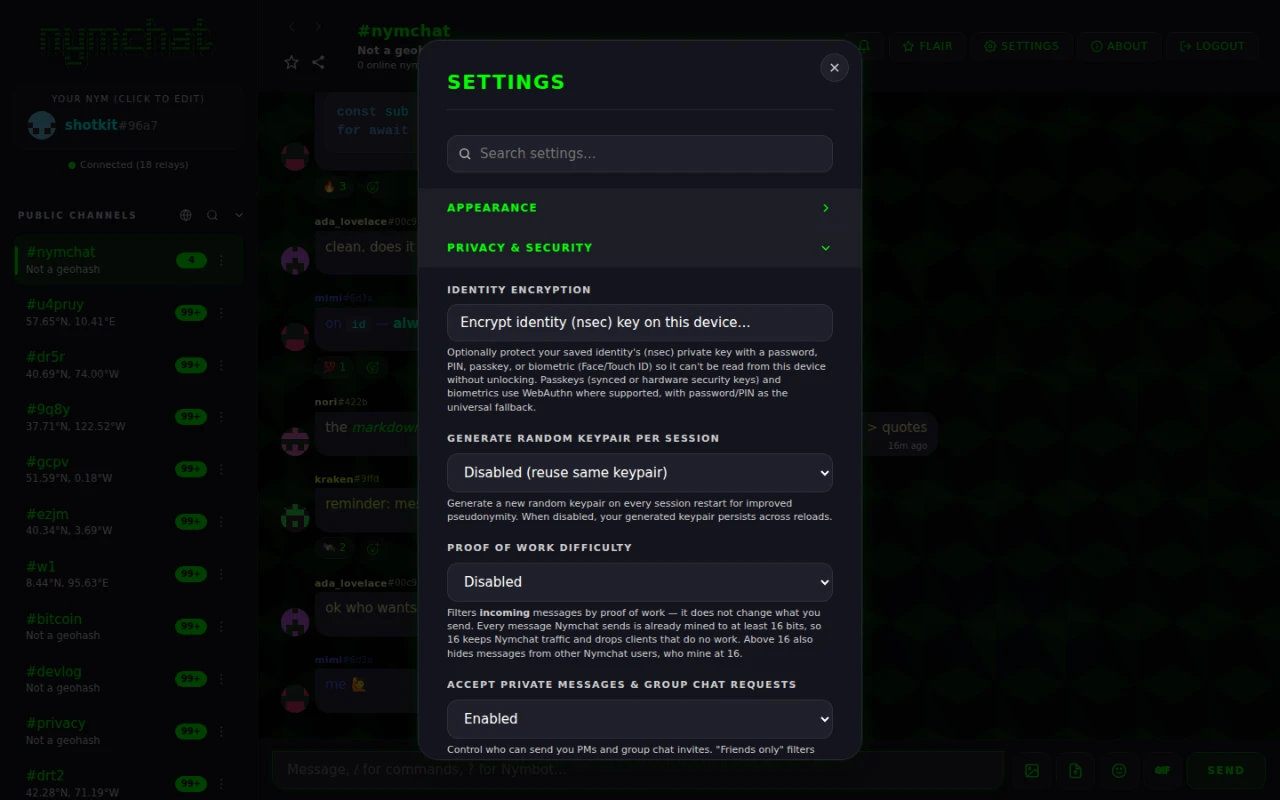
Identity encryption
Los ntawm lub neej ntawd tus yuam sij ntiag tug tau txais kev cawmdim zaum hauv lub cuab yeej hauv zos cia hauv qhov tseeb. Leej twg ua tau nyeem qhov chaw cia - ib lub cuab yeej xauv, lub cuab yeej forensic, qhov browser profile luam tawm ntawm a tshuab sib koom - tuaj yeem nyeem tus yuam sij thiab dhau los ua koj.
Identity Encryption, hauv qab Cov chaw > Privacy & Security, kaw lub qhov. Nrog nws rau:
- koj
nsecyog encrypted ntawm so nrog AES-GCM-256; - tus yuam sij ephemeral zais koj pawg sib tham vam yog encrypted nyob rau hauv tib lub vault key;
- tus yuam sij plaintext yeej tsis sau rau disk thaum encryption qhib - nws tsuas muaj tshwm sim hauv kev nco, tsuas yog rau kev sib kho;
- kev qhib qhib tshwm sim ib zaug, thaum lub app pib.
Lub xauv qhov tseem ceeb thiab tus yuam sij encrypted yog hauv zos rau ib lub cuab yeej, yog li tus kheej encryption yog qhib rau ntaus ntawv. Tsuas yog qhov tsis hnov tsw ntawm / tawm nyiam mus ncig nruab nrab ntawm cov khoom siv, yog li lub cuab yeej tshiab tuaj yeem muab los teeb tsa thiab. Tsis muaj lo lus zais, ntsev los yog daim ntawv pov thawj yeej ib txwm synced.
Xaiv ib qho laj thawj
Koj xaiv yuav ua li cas lub vault tau xauv ntawm lub cuab yeej no:
| Qhov xwm txheej | Yuav ua li cas tus yuam sij yog muab los | Muaj nyob rau |
|---|---|---|
| Tus password | PBKDF2-SHA256, 310 000 iterations | Txhua qhov chaw |
| PIN | Tib PBKDF2 derivation, tus lej nkaus xwb | Txhua qhov chaw |
| Passkey | WebAuthn nrog PRF txuas ntxiv, tom qab ntawd HKDF-SHA256 | Web app |
| Biometric - Face ID, Touch ID, Windows Nyob Zoo, Android biometrics, tus yuam sij kho vajtse ruaj ntseg | WebAuthn PRF ntawm lub vev xaib; lub platform tus kheej biometric sai ntawm Android thiab iOS | Txhua qhov chaw |
Tus PIN yog tus password ua los ntawm tus lej, yog li kho tus lej luv luv raws nraim li: nrawm, thiab tsis muaj zog.
Tsis yog txhua tus authenticator siv WebAuthn PRF txuas ntxiv, thiab ib qho uas tsis yog tsis tuaj yeem muab tus yuam sij. Yog li lub sijhawm koj qhib encryption lub app ua rau koj qhib ib zaug, muaj thiab tom qab ntawd - zoo dua kom paub tam sim ntawd dua li lwm zaus koj qhib lub app tsis muaj txoj hauv kev rov qab rau hauv.
Panic so
Nias thiab tuav lub vaj huam sib luag "Koj Nym" rau ob feeb. Nymchat tshem tawm txhua cov qhov tseeb ntawm nws rau hauv lub cuab yeej, rau txhua tus neeg lub npe uas raug khaws cia rau ntawm ntawd. Tsis muaj qhov xav nug kom lees paub, uas yog qhov tsim tseg — lub hom phiaj yog kom nws txhawb tau sai, thaum muaj kev txhawj xeeb, tsis tas yuav mus ntawm lwm lub nplooj ntawv xav nug.
Kev tuav tib yam nkaus ntawd ua haujlwm ntawm lub screen qhib ntawm ib pib tsis tshov tshua lub npe tsis tshov tshua: tuav Nymchat lub npe saum toj rooj rau ob fem giây thiab lub tshuab yuav raug tshem kom huv tsuas tsis tau qhib dab tsi ua ntej.
Ib qho animation luv qhia tau hais tias kev nce qib thaum nws:
- Nug lub Nymchat server kom tshem tawm txhua yam uas nws khaws cia rau txhua lub neeg (identity) uas tau cawm tseg — cov kev teeb tsa uas muaj kev sib txuas (synced settings), cov ntaub ntawv uas raug khaws cia ntawm cov lus xov xwm thiab cov lus hauv pab pawg (group chats), thiab cov profile uas raug khaws tseg — txhua qhov kev thov yuav tsum muaj tus as (key) ntawm tus neeg ntawd kos. Qhov kauj ruam no yog tau txog qhov... 3 vib tsib; kev tshem tawm tsis tos ntev tshaj hauv network;
- tso cov private keys thiab lub vault key tawm ntawm lub cuam tsim nyog;
- encrypts txhua lub zos- thiab kev sib kho-kho tus nqi raws li tus yuam sij tshiab uas yog tam sim ntawd muab pov tseg, ces overwrites cov nuj nqis nrog junk thiab clears cov khw;
- yeej hloov pauv thiab muag txhua IndexedDB database, suav nrog daim khw uas khaws koj cov nim ntawv lwm yam uas tau cawm tseg;
- tshem cov cache cia thiab unregisters tus neeg ua haujlwm pabcuam;
- clears ncuav qab zib, ces reloads rau lub pristine thawj-khiav xeev.
Lub kauj ruam thib peb yog qhov uas txaus siab tshaj plaws. Kev muab cov ntaub ntawv tshem tawm tsis tau txhais tias nws yuav tsis tau rov nrhiav tau, yog li ntawd lub app yuav txiav txim siab tso rau nws raws li hom code (encrypt) ua ntej, siv ib lub chaw cia ntaub ntawv (key) uas tsis muaj leej twg tuaj yeem muaj — tsis hais lub app nws los xij. Txhua yam uas tshuav tom qab kev tshem tawm yog cov ntaub ntawv code (ciphertext) uas tsis muaj lub chaw cia ntaub ntawv (key) twg hauv ntiaj teb no nrhiav tau li.
Ib kauj ruam ntawm no tsuas mus txog cov neeg siv uas lub app tuaj yeem siv tau lawm lub niam txiv (key) lub sijhawm ntawd xwb: tus uas tab tom siv tam sim ntawd, thiab cov uas tau cawm tseg uas nws lub niam txiv nyob rau hauv lub tshuab tab tom tsis muaj kev tiv thaiv (unencrypted), lossis nyob hauv ib lub browser extension uas ua haujlwm rau nws. Ib tus neeg siv uas tseem raug kaw rau ntawm kev tiv thaiv niam txiv (identity encryption), lossis tus uas siv kev kos ntawv dhau ntawm ib lub tshuab kos ntawv deb (remote signer) thaum nws tsis tab tom siv, yuav tsis tuaj yeem kos tau cov kev thov (request), yog li nws cov ntaub ntawv ntawm server yuav nyob tseg. Yog tias muaj qee tus raug dhia mus, daim ntawv qhia kev taug kev (progress screen) yuav qhia tias muaj pes tsawg tus. Kev muab tshem tawm txhua yam hauv lub tshuab (local wipe) yuav tshwm sim txhua lub sijhawm.
Ib tus kheej uas raug plam tsis yuav tau rov tau rov qab, los ntawm koj los yog lwm tus. Yog tias ib lub nym yog ib yam uas koj xav khaws cia, thov khaws backup nws... nsec thiab nws yog nympq1… lub chaw tiv thaiv code
ua ntej koj yuav xav siv nws. Kev tsuas yog tsoo ib zaug rau ntawm daim ntawv ntawd tsuas yog qhib nym editor xwb,
yog li ntawd kev muab tshem tawm txhua yam yuav tsis tshwm sim tsis yog tswj tsis tau.
Kev so kom huv yuav tshem tawm txhua yam hauv lub cuab yeej no thiab Nymchat lub server nws tus kheej. Nws tsis tuaj yeem tshem tawm yam uas cov relay twb muaj lawm: koj cov lus hauv channel thiab cov "encrypted gift wraps" ntawm koj cov lus tshwj xeeb yuav nyob tsis hloov qhov chaw uas cov relay muaj lawm, thiab cov ntaub ntawv uas muaj rau lwm tus neeg cov cuab yeej los kuj yuav nyob zoo li ntawd.
Nws tseem yuav so kom huv koj lwm cov cuab vim ntxiv thiab
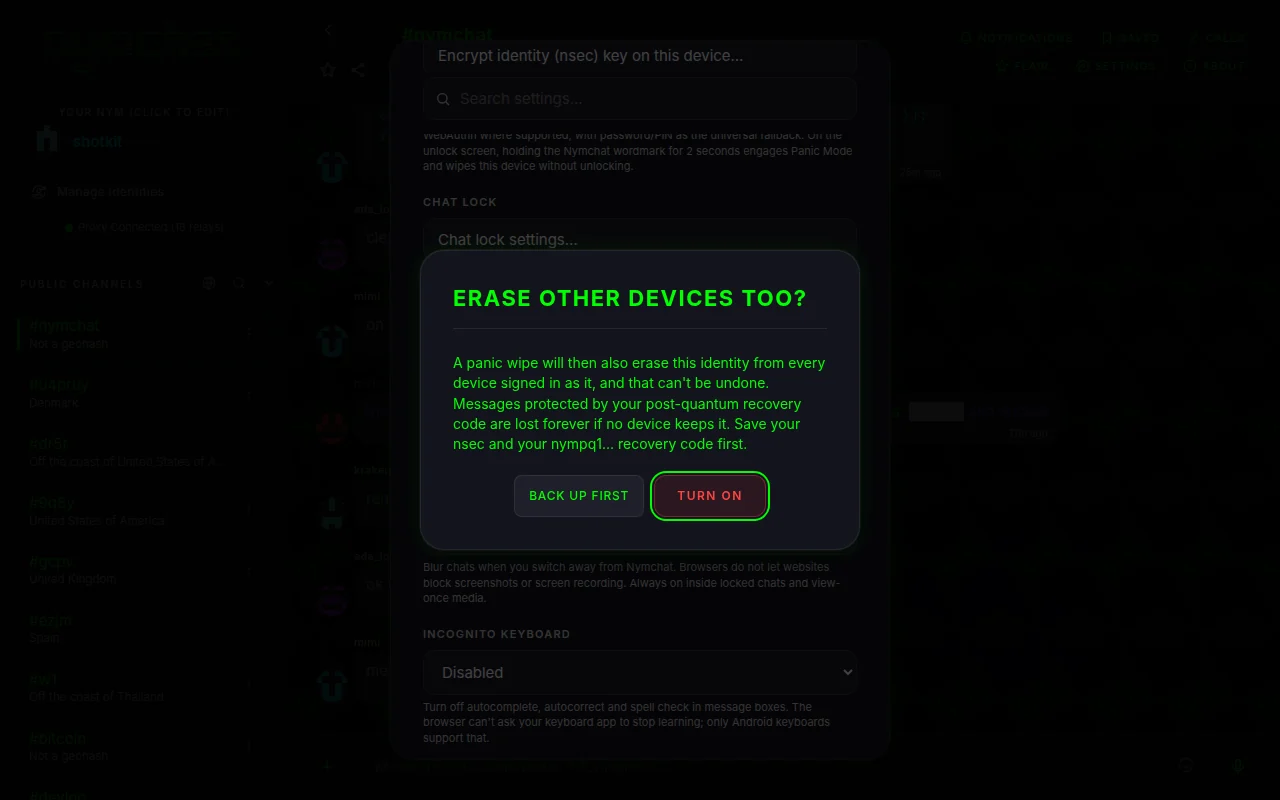
Panic wipe tseem muaj kev muab tshem tawm kuv lwm cov cuab yeej thiab, hauv Settings › Privacy & Security, yog tsis hloov tsis tau raws li lub tswv yim pib, thiab yog tsim raws rau txhua lub npe (identity). Nws sib txuas nrog cov kev tswj hwm ntawm lub npe ntawd, yog li txhua lub khoos tshiab uas gel tswj (signed in) ua lub npe ntawd yuav pom tias nws tau qhib lawm. Thaum koj xav hloov nws mus rau qhov qhib, nws yuav thov koj lees paub, thiab tseb rau koj mloog tias yuav tsum cawm tes (back up) koj cov chaw (keys) ua ntej.
Thaum muaj nws, kev txhawj xeeb ntawm txhua yam khoom siv yuav ua tau ntxiv ob yam ua ntej kev nuam kom ploj mus, uas yog daim ntawv cog lus ntawm: tus neeg siv: nws yuav tso ib hom cim me me rau ntawm Nymchat server, thiab xa tib hom cim ntawd rau tus neeg siv nws tus kheej raws li ib yam khoom pab uas muaj code ceg rau ntawm cov relays. Txhua yam khoom siv uas tau login ua tus neeg siv ntawd yuav tshawb xyuas cov cim ntawd thaum nws txuas mus, thaum nws rov qab los ua hauj lwm thiab txhua txhua tsib feeb. Ib yam khoom siv uas pom ib daim cim uas muaj daim ntawv cog lus tshiab dua nws tus kheej lub login yuav tshem tawm tus neeg siv ntawd thiab tshem nws mus, yam tsis tau nug dab tsi. Lwm cov neeg siv uas tau cawm tseg rau ntawm lub khoom siv ntawd yuav tsis raug tshuam.
- Ib lub cim uas raug ua dag yuav raug tsis saib: nws yuav tsum tau muaj tus neeg tus kheej tus huam.
- Kev nkag mus dua tom qab ntawd yuav tso npe sijhawm nkag mus tshiab thiab so lub cim, kom qhov nkag mus tshiab tsis raug muab tshem tawm. Ib lub khoom siv uas nyob offline txog thaum tom qab qhov re-login ntawd tuaj yeem poob lus qhia.
- Tus cim raug khaws cia rau 90 hnub, thiab muaj tus public key ntawm qhov chaw txheeb zuam, ib lub sij hawm thiab ib daim sig — tsis muaj dab tsi txog cov cuab yeej twg uas muaj.
- Nws tsis taug dhau ntawm Bluetooth mesh.
- Ib qho npe uas tau raug kaw rau uas tseem tsis tau qhib thaum koj tsis xav zoo ntawm qhov screen qhib tau, tsis tuaj yeem ters, yog li nws tsis tuaj yeem xa qhov teeb meem no mus.
Kev kawm lus, kev nyab xeeb ntawm lub nplooj ntawv thiab incognito keyboard
Muaj peb qhov kev tswj hwm nyob hauv Settings › Privacy & Security rau tus neeg uas nqa koj lub xov tooj uas tsis muaj cov chaw kaw, lossis saib dhau koj lub xub pwg.
Khawm qhia kev kaw chat. Khau kev sib tham, hauv menu ntawm ib kab sib tham, tshuab nws
hliu ntawm lub ntsiab lus loj mus rau hauv Cov lus tham uas raug kawm, uas qhib tom qab siv Face ID,
zan tswm tes, ib lub passkey, los yog ib lub passcode. Ib lub khoom siv uas tsis muaj cov ntaub ntawv ntawd yuav thov kom koj teb
passcode, uas raug khaws cia rau hauv lub khoom siv ntawd; yog tias identity encryption tswj hwm, nws tus password los yog PIN yuav qhib tau thiab.
Nqe lus tham txog 100 yam tau raug kaw, tab sis tsis yog #nymchat. Ib qhov kev sib txuas lus uas raug kaw rau
lub xov xwm qhia tias tsuas yog “New message”. Chaw kawm txoj kev tswj hwm... Teeb tsa tias yuav kaw ntxiv thaum twg tom qab koj tawm ntawm lub app, thiab tuaj yeem tsis pub pom cov lus "Locked chats" tag nrho, kom nws qhib xwb thaum koj sau ib lub code tsis pub leej twg paub rau hauv lub sidebar search. Cov chats uas raug kaw yuav hloov mus rau lwm lub cuav koj li; txhua lub cuav yuav qhib nws tus kheej.
Lub Tshuab Kev Ruaj Doos, tsis tau qhia rau txhua lub sijhawm, ua raws li lub platform tso cai. Ntawm Android nws yuav tsis cia cov lus sib tham pom hauv app switcher thiab tsis pub muab duab screenshot thiab luam cov nplooj ntawv rau saum ntug; Ntawm iOS nws yuav tsis cia cov lus sib tham pom hauv app switcher thiab yuav nqaij los npog lawv thaum saib duab lossis luam cov nplooj ntawv; iOS tsis tso cai rau cov app tsis pub muab duab screenshot. Hauv ib lub browser nws yuav ua rau cov lus sib tham tsis meej thaum koj hloov mus rau lwm qhov; cov browser tsis tso cai rau cov website tsis pub muab duab screenshot lossis luam nplooj ntawv. Nws yuav txhua lub sijhawm thaum hauv cov lus sib tham uas muaj chaw kaw thiab cov media uas saib tau ib zaug xwb.
Incognito Keyboard, tsis txhua lub sijhawm. Ntawm Android nws nug tshuab keyboard kom tsis txhob kawm ntawm yam koj sau thiab tshem tawm cov lus qhia thiab autocorrect hauv cov chaw sau ntawv. Hauv lub browser nws tshem tawm autocomplete, autocorrect thiab spell check, tab sis ib lub website tsis tuaj yeem nug koj lub app keyboard kom tsum kawm tau. iOS tsis pub rau cov app muaj qhov hloov zoo li ntawd, yog li ntawd qhov kev tiv thaiv no tsis muaj nyob rau ntawd.
Dab tsi yog khaws cia rau hauv koj lub cuab yeej
Nymchat khaws lub xeev hauv zos kom nws tuaj yeem qhib tam sim thiab ua haujlwm offline. Dav dav:
| Dab tsi | Sau ntawv |
|---|---|
| Koj keypair | Encrypted ntawm so thaum tus kheej encryption qhib. Tsis khaws cia rau hauv ib zaug lossis hom hardcore. |
| Lwm cov npe tseg cia | Txhua tus neeg uas muaj lub npe hauv Tswj Hwm Cov Npe Ntawv cuam tsis muaj nws tus key, kev teeb tsa, caches thiab cov lus uas tab tom tos, tsis muaj nrog lwm yam. Tsuas yog qhov uas tab tom siv xwb thiaj li raug nqa mus. |
| Nqe lus cia tseg, cov lus tham uas kaw thiab tso rau saum toj xwb | Cov npe ntawm cov yam uas koj tau khaws cia, kaw thiab tso rau saum toj. Cov lus uas tau khaws cia muaj ib daim lus luag ntawm cov ntawv. |
| Cov chaw thiab nyiam | Ntsiab lus, layout, thaiv cov neeg siv thiab cov ntsiab lus, nyiam raws, thiab lwm yam. |
| Channel keeb kwm thiab profiles | Ib tug cache ntawm dab tsi tau nqa los ntawm relays. |
| Decrypted cov lus ntiag tug thiab pab pawg sib tham | Tswj los ntawm Cache PMs & Pab Pawg Sib Tham Hauv Ntaus (nyob ntawm lub neej ntawd). Tig nws thiab lawv rov qab nqa thiab decrypted txhua qhov tso tawm es tsis txhob zaum ntawm disk. |
| Pab pawg ua tswv cuab thiab ephemeral pab pawg yuam sij | Encrypted nyob rau hauv tus yuam sij vault thaum tus kheej encryption qhib. |
| Kev yuav khoom | Rov qab tau los ntawm tus txhiv code — saib lub khw flair. |
Kev teeb tsa › Data & Backup muaj ob lub cuab yeej nqaim dua li qhov kev ceeb toom so: Clear Local Storage Cache poob cached keeb kwm, lus, profiles thiab kev tshwm sim tab sis khaws koj tus ID nkag mus, teeb tsa, pab pawg ua tswv cuab thiab kev yuav khoom; Reset Settings rau Defaults ua qhov thim rov qab.
Tshem tawm koj lub ntej account
Muab cov ntaub ntawv account pov thiab so lub tshuab kom huv, nyob rau ntawm qhov kawg ntawm Settings › Data & Backup, muab koj account pov tseg hauv lub app. Nws nug ib zaug, tom qab ntawd, rau txhua tus neeg siv (identity) uas muaj cia rau hauv lub device uas nws tuaj yeem siv lub key, nws thov Nymchat's server kom muab tshem txhua yam uas nws tau khaws cia rau tus neeg siv ntawd: cov settings uas muaj synced thiab cov post-quantum recovery code, cov profile, cov PM thiab group archive, cov Nymbot conversations, cov lus uas tau teem caij lawm, Nymbot's server copy ntawm koj cov public posts, koj Nymbot credit balance nrog tus ledger, cov kev yuav khoom, invoice thiab voucher records, cov reports koj tau rub, thiab cov spam-filter thiab app-check records txog koj. Txhua qhov kev thov raug kos los ntawm tus neeg siv lub key nws tus kheej thiab raug xa ua rau nws tus kheej, npaum li ob peb feeb thim ntawm ib qhov. Tom qab ntawd nws yuav hmoov tshem txhua yam hauv lub device zoo li qhov panic wipe thiab qhia tau Cov ntaub ntawv account raug muab tshem tawm ua ntej yuav rov mus khiav thawj zaug.
Ua ntej txhua tus tus neeg siv thov muab cov ntawv ntawm lub server tshem tawm, lub app kuj khaws ib lub cim me uas muaj ntawv tso cai (signed) los ntawm tus neeg siv ntawd: nws tus pejveej yeej (public key), lub sijhawm, ib lub event id thiab cov ntawv tso cai (signature), tsis muaj lwm yam ntxiv, uas yuav raug khaws cia rau 90 hnub. Qhov no yuav tshwm sim txawm tias muaj lossis tsis muaj Panic wipe tseem muaj kev muab tshem tawm kuv lwm cov cuab yeej thiab yog qhov tsim nyog txhij. Txhua lwm lub tshuab uas tau nkag mus rau hauv tus npe ntawd yuav tshawb xyuas nws thaum nws txuas nrog, los rov qab rau hauv qhov pom, thiab txhua ob peb feem nkaus, thiab muab tshem tawm tus npe ntawd tsis yog tso nws cov ntaub ntawv mus rau dua. Lwm cov npe ntawm cov tshuab ntawd tsis raug hloov pauv li.
Ntawm iPhone thiab iPad, nws tseem muab cov key backups uas lub tshuab no tau khaws rau iCloud tshem tawm thiab. Cov backups nyob rau hauv Google Drive, thiab cov iCloud backups uas tau khaws los ntawm lwm qhov chaw, yuav nyob nrog lawv li qub.
Txhua yam Nymbot credits uas tshuav yuav raug muab tshem tawm nrog lub account thiab tsis tuaj yeem rov qab tau, hauv
Nymchat lossis hauv Nymbot app. Siv ?transfer thiab ua ntej yog tias koj xav tuav lawv tseg.
Cov ntsiab lus thiab cov lus uas twb muaj rau hauv cov Nostr relays pej xeem lawm yuav raug khaws cia los ntawm cov neeg tswj relay thiab peb tsis tuaj yeem muab tshem tawm tau.