Knowledge base Under the hood
Verifying the build
Open source only helps if the code you are running is the code that was published. Nymchat is built deterministically so you can check that yourself, from inside the app or from a terminal.
Reproducible builds
Building the app emits a build-manifest.json containing the source commit, a
SHA-256 hash of every served HTML, JavaScript and CSS asset, and a single
bundleHash over that whole asset set.
The output depends only on the source content — even the recorded build time is the
commit's timestamp rather than the moment the build ran — so anyone rebuilding the same
commit gets byte-identical files and the same bundleHash.
A GitHub Action then rebuilds each commit independently and signs build-provenance
attestations for the hash and the manifest, so there is a signed record tying a
bundleHash to a commit in the repository, produced by something other than the
deployment.
What the About dialog checks
About in the header runs the check live, in your browser.
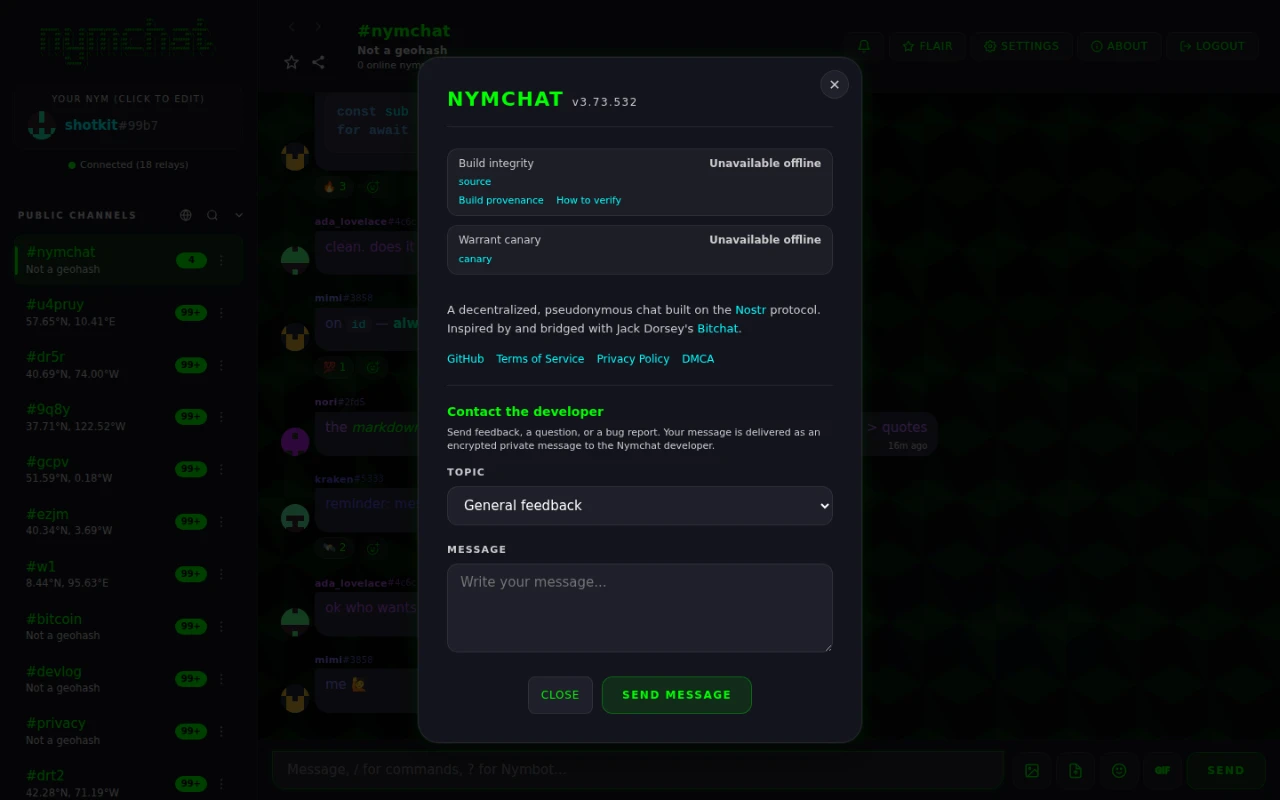
It re-fetches each asset the page is actually running, hashes it with the Web Crypto API, and
compares against the manifest. Then — and this is the part that matters — it
recomputes the bundleHash from the hashes it just calculated, not from
anything the manifest claims, and looks that up in the repository's signed attestations
through the GitHub API.
That is what stops a deployment from vouching for itself: serving modified files together with a matching manifest still fails, because the recomputed hash has no attestation.
| Status | Means |
|---|---|
| ✓ Verified official app (n/n) | Every asset matches, the recomputed bundle hash is attested by the repository, and the page is served from the official domain. |
| ⚠ Verified build · not the official app | The code is genuine and attested, but this is a mirror on another domain. A mirror cannot remove this warning without failing verification. |
| ✗ Mismatch | An asset does not hash to what the manifest says. |
| ✗ Unofficial build | The recomputed bundle hash has no attestation from the repository — a self-made manifest. |
| ⚠ Provenance unreachable | The GitHub API could not be reached, so the attestation could not be checked either way. |
Verifying it yourself
Rebuild the commit the About dialog names and compare:
git clone https://github.com/Spl0itable/NYM
cd NYM
git checkout <commit shown in the About dialog>
npm ci
npm run build   # prints "Build hash: <bundleHash>"
The printed hash should match both the one in the About dialog and the one in that commit's build-provenance run summary. You can also check the signature directly with the GitHub CLI:
gh attestation verify dist/build-manifest.json --repo Spl0itable/NYMThe Android and iOS apps
The check above is a web-app check, and the reason is worth stating plainly: a native app cannot do the same thing to itself. What runs on your phone is compiled machine code, not the source in the repository, and nothing the app can compute on the device relates one to the other.
Android can do the next best thing. The installed .apk is a file the app can read
and hash, and the hash of every published release is already public: publishing to the
Zapstore
signs a Nostr event carrying the APK's SHA-256 and its signing certificate's SHA-256. So the
Android About dialog hashes the APK it is running from, fetches those signed
events, keeps only the ones signed by the developer's key, and compares. It shows the two
hashes as well, so you can repeat the check off the device: download the published APK, run
sha256sum on it, and look at the same event yourself.
An app installed from Google Play cannot be checked this way, and that is not a sign anything is wrong. Google re-signs every upload with its own key and builds a separate APK for each device, so what lands on your phone is not the file the developer produced and its hash matches nothing that could be published. The app recognizes a Play install and says so rather than reporting a failure. To check a build yourself, install the APK published directly.
iOS cannot be checked at all. Apple encrypts and re-signs each download individually, so a hash computed on your iPhone is unique to your iPhone and matches nothing published anywhere. The About dialog says this outright rather than showing a reassuring status that means nothing. If you want a Nymchat you can verify on Apple hardware, use the web app, which does check every file it is running.
A check an app runs on itself cannot prove the app is honest — whoever modified it could remove the check too. What it proves is the ordinary case: that the copy you installed is the copy that was published. That is worth having because the values it compares are public, so someone other than you can check them, and disagree.
The warrant canary
A warrant canary is a statement, published on a fixed schedule, that the developer has not received a secret government order they are forbidden to disclose — a National Security Letter, a FISA order. The developer can be compelled to stay silent about such an order, but cannot be compelled to lie, so the canary going stale or disappearing is itself the signal.
It lives in canary.json at the root of the repository and is fetched directly
from GitHub, so its history is auditable independently of whatever the deployed site says.
The About dialog color-codes it:
| Color | Means |
|---|---|
| Green — all clear | Signed, current, and the signature matches the developer's key. No secret order has been received. |
| Yellow — overdue, or not all clear | It was not refreshed by its stated date, or its allClear flag is false. A silenced order cannot be ruled out. |
| Red — invalid signature, or gone | The signature does not match the developer's key, or the file has been removed entirely. Treat this as a serious warning. |
The freshness anchor
The signed canary embeds the latest Bitcoin block height and hash at the moment of signing. That hash could not have been known before the block existed, which proves the canary was signed after a specific point in time rather than pre-signed in bulk months earlier. The About dialog links the anchor to a block explorer so you can check it.